Forward Test
Forward Test (Paper Trade) - Overview :
Forward testing lets you run your strategy in live market conditions without real capital, helping you validate performance, execution behavior, and consistency before deploying it in Live AlgoTrade.
How to perform the Forward Test?
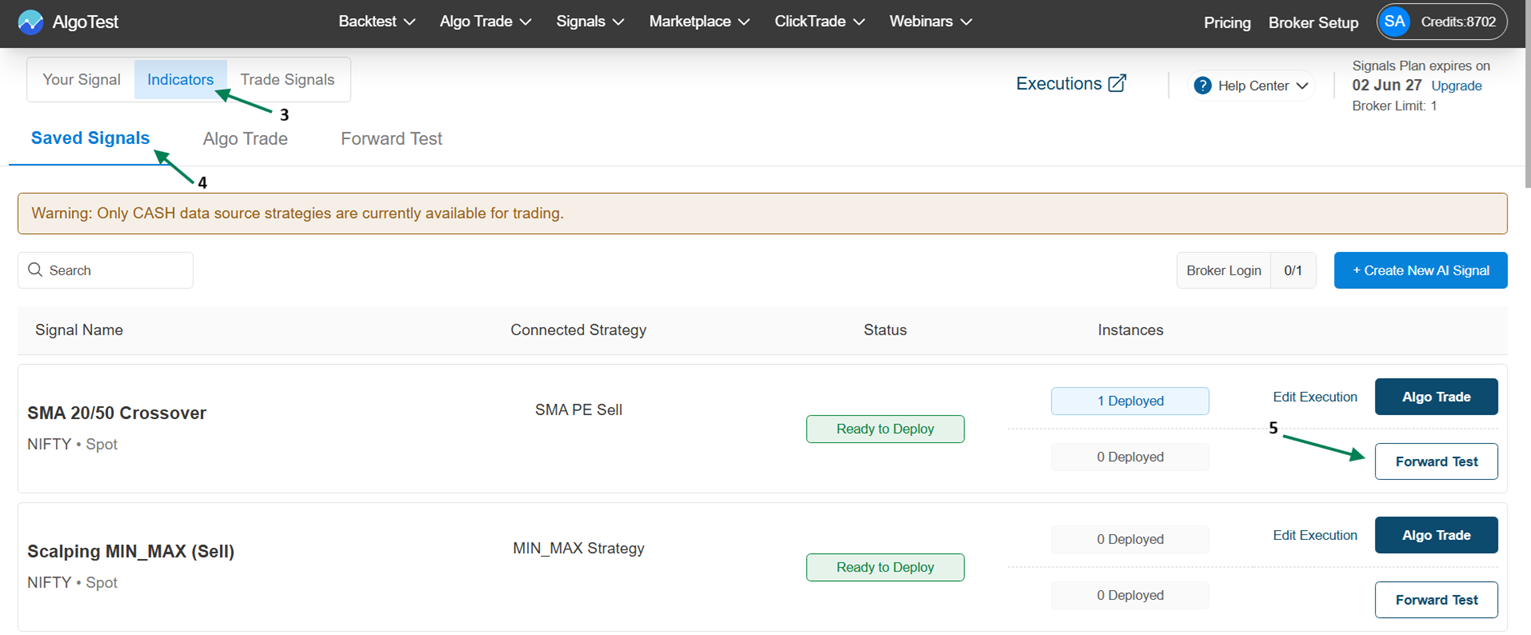
You can perform forward testing (paper trading) directly on your saved signals to validate strategy performance in live market conditions. Simply select your saved signal from Indicator Saved Signals, click on Forward Test, and deploy it. The strategy will start running under Indicator → Forward Test.
Navigation Flow:
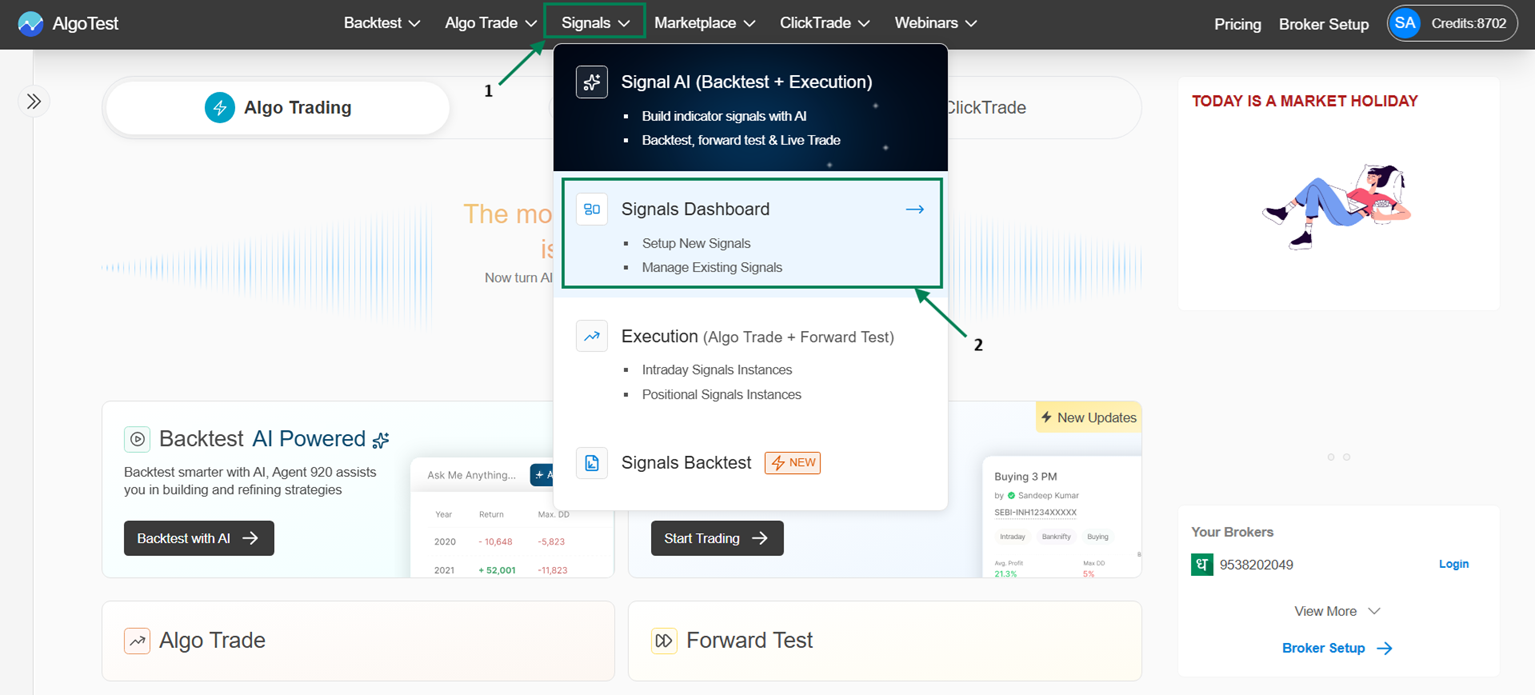
Signal → Signal Dashboard → Indicator → Saved Signals → Click on Forward Test under Saved Signals
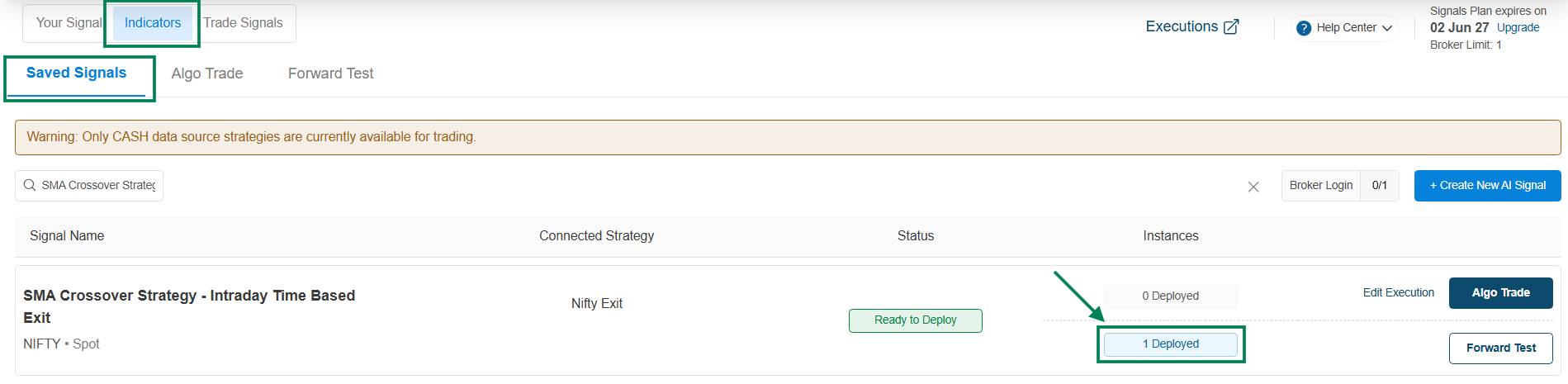
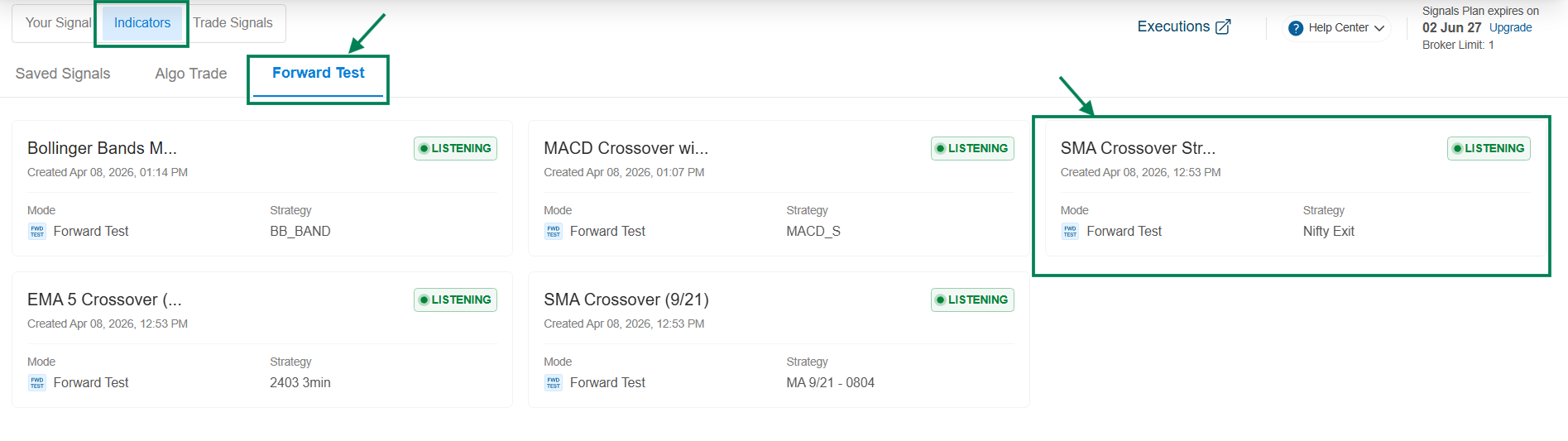
Once you click on Forward Test, the instance will show as 1 Deployed, and the strategy will start listening under Indicator → Forward Test.
→ Here you can see the strategy in the Forward Test Listening state.
→ Strategy Controls: Key Features
Click on a Strategy to access the strategy control features and to check the executed order details.
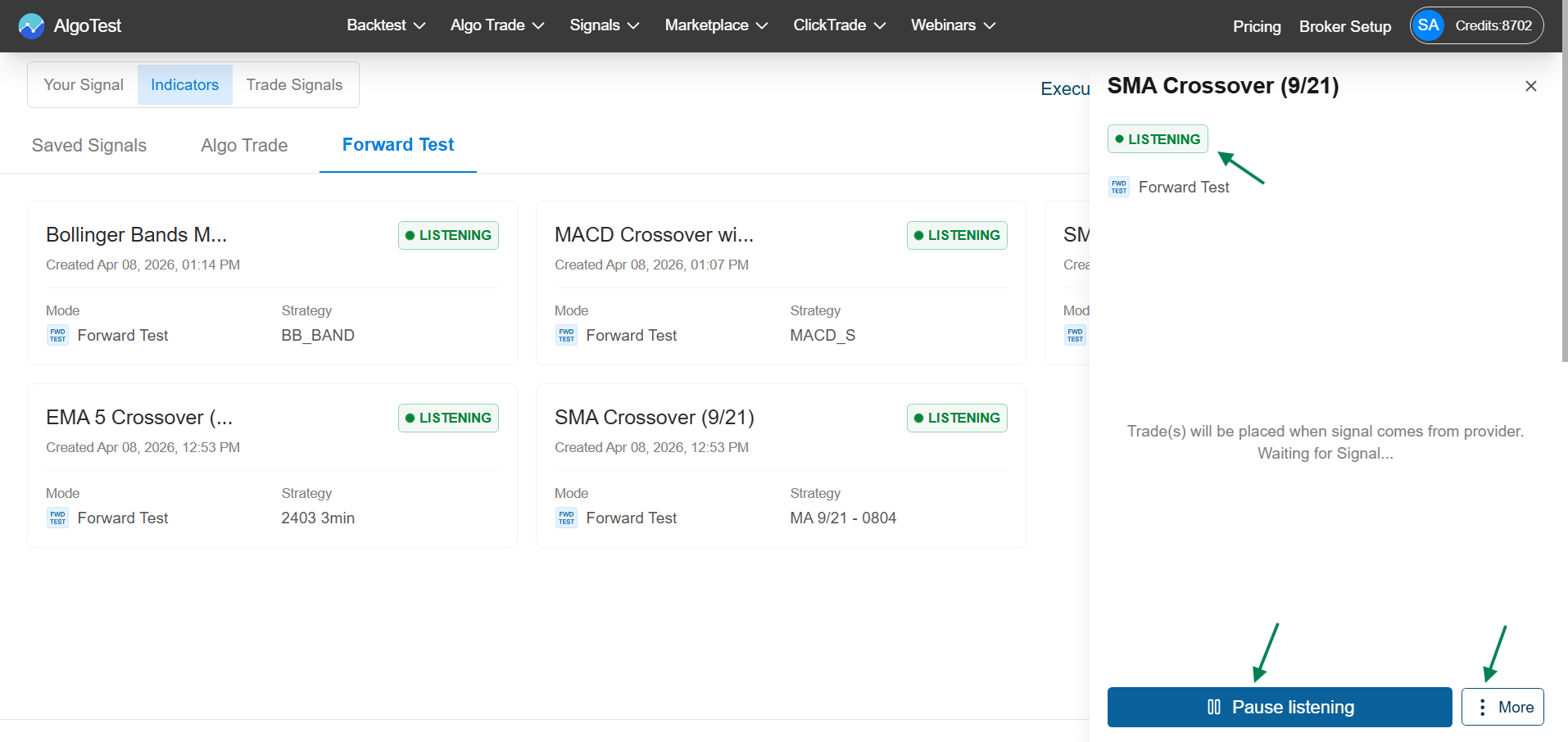
Pause Listening: Click on Pause Listening to temporarily stop the strategy from monitoring signals.
Start Listening: Click on Start Listening to resume the strategy and start monitoring signals again.
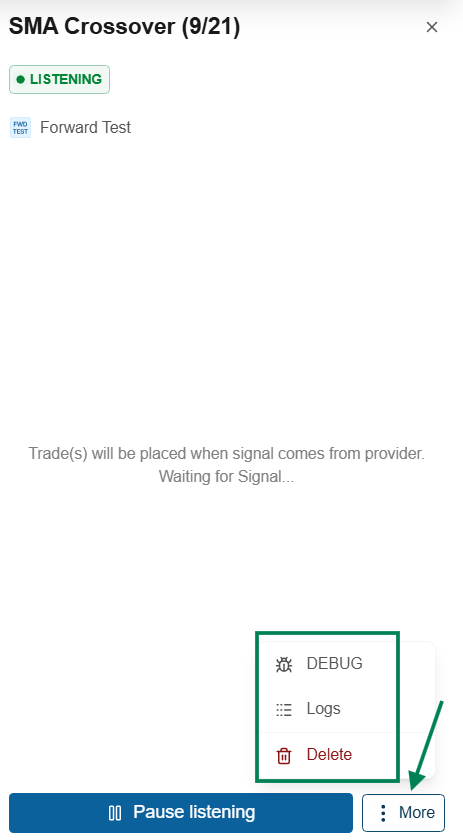
More Options:
-
Debug: Click on Debug to copy the strategy details for Troubleshooting.
-
Logs: Click on Debug to view all activity and signal-related Logs.
-
Delete: Click on Debug to stop and remove the forward test Instance.
These controls help you easily manage and monitor your strategy during forward testing.
\